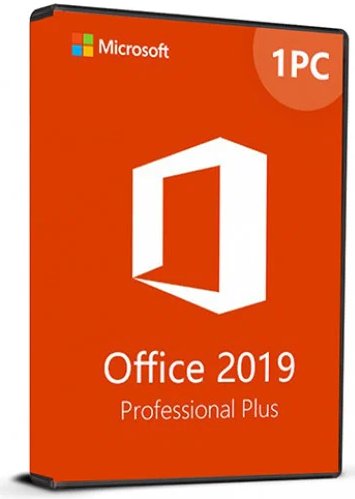

You will need to download the product from Microsoft by using the link here:
Office 2019 Professional Pro Plus
Office 2021 Professional Pro Plus
(Alternatively, you can go to https://setup.office.com/ and proceed online.)
With the downloaded .IMG file you may either:
A: You can extract the compressed .IMG file using WinRAR or 7Zip to a folder on your PC.
B: ‘Right-click’ the file and ‘mount’ the file as a virtual DVD folder
Then run the Setup.exe to install the product.
If prompted, insert the key details.
After setup is complete, open Word or another application
Go to Account and Activate Product.
1: Download and install Microsoft Office using the direct download link provided to you when you collected your key
2: Start Office program to open the activation wizard
3: Select 'I want to activate the software by telephone' to make use of Microsoft Office telephone activation
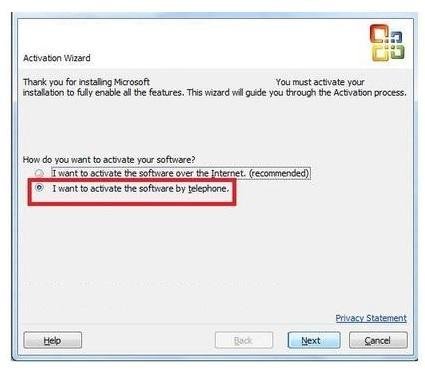
4: Select 'I want to activate the software by telephone'.
Select your county/region from the dropdown menu.
Your free-phone or national-rate telephone numbers will be displayed
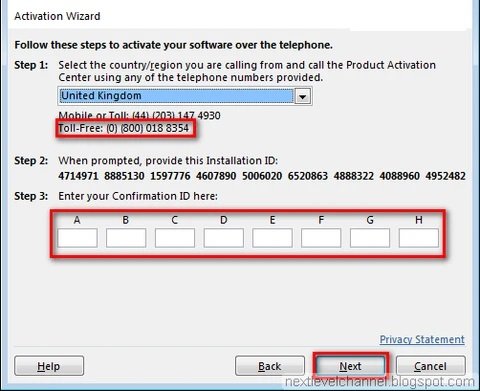
Call one of these numbers with your specific Installation ID to hand (yours will be displayed as shown)
Follow the prompts on the telephone service....
GOOD NEWS: You can now complete "telephone" activation using an online service which is much quicker
During the call you will be offered to accept the prompt to receive a text message with a website link
and follow this
link to the Microsoft Office
Online Activator - it will save you 10 minutes on the phone !!
Follow the instructions as shown and in minutes you will have successfully activated your Office 2019 product.
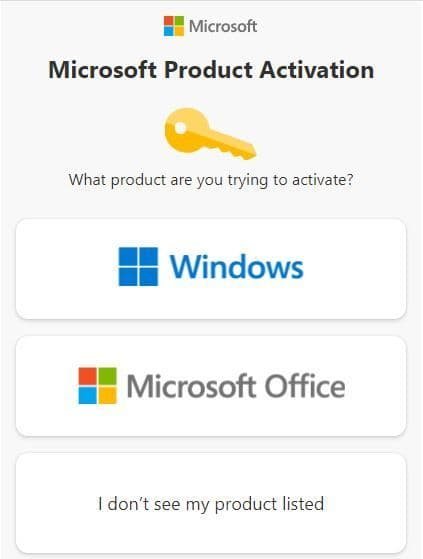
Select OFFICE products
Enter the Installation ID into the boxes as shown.

Press the submit button.
*If you receive invalid or any other error message please check the Installation ID carefully
If asked “how many computers the software has been installed on”, Select “0”.
Press submit again.
The Self Service Module will provide a confirmation ID that you have to enter in the Activation Wizard below.

Select « next » and follow the instructions to complete the activation process.
Well done, you have completed the activation process.
